
HOW TO PLAY / FIELD NOTES
DOWN 100 FLOORS: choose the next landing before leaving this one
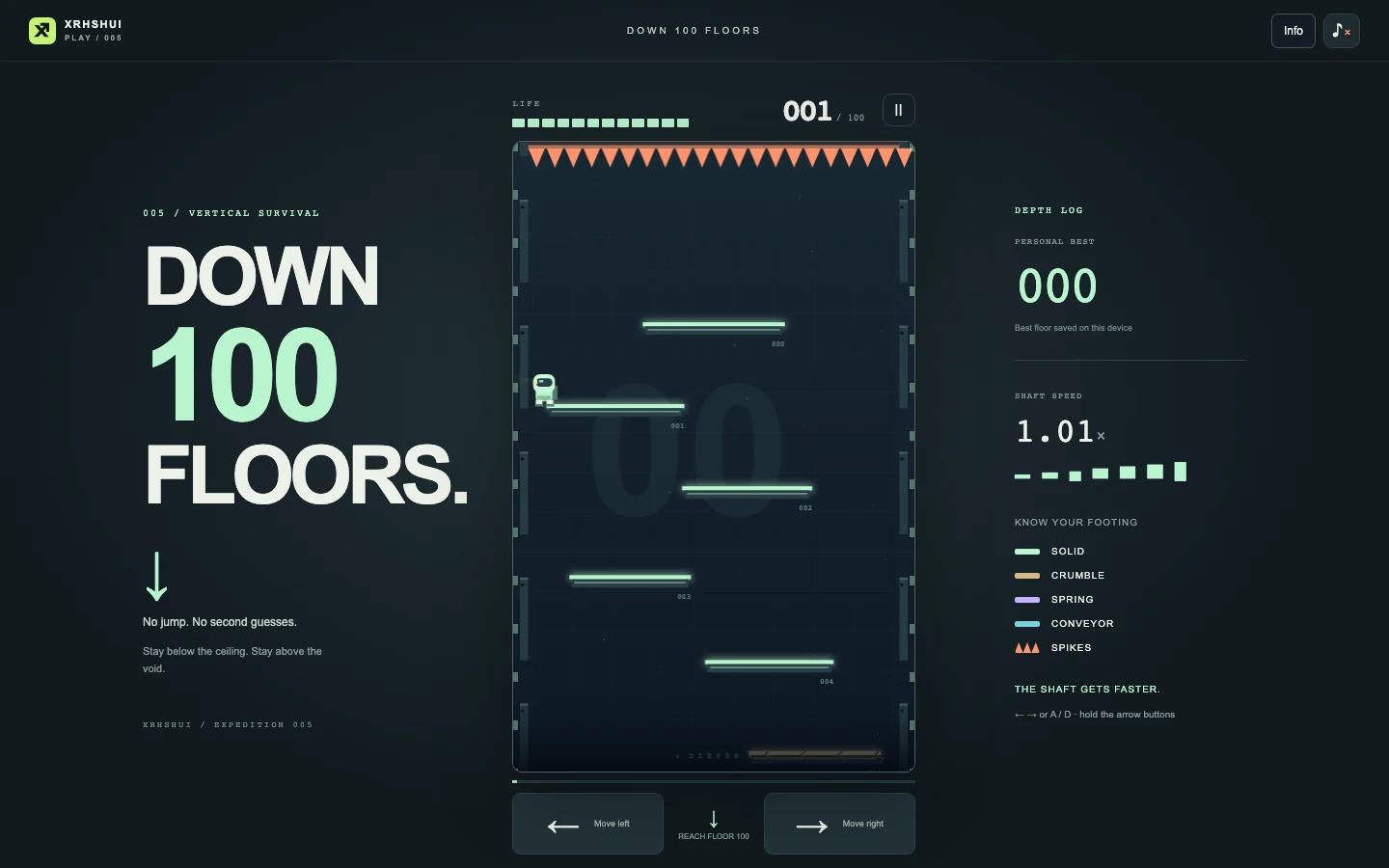
Only left and right are needed. The challenge is keeping a safe descent as the pace increases.
- Devices
- Desktop · Tablet · Phone
- Players
- Single player
- Language & sound
- English / 中文 · Starts muted
Is this your kind of game?
For a portrait-friendly survival game built around quick landing choices.
Controls at a glance
Use Left/Right or A/D on desktop; mouse left/right buttons are also supported. Touchscreens use left and right buttons. There is no manual jump. Phones play in portrait.
Look below before moving
Identify the next reachable landing before leaving your current platform. Moving to an edge without checking below can remove the chance to correct. As the descent accelerates, a small early move is easier to control than a late full-width crossing.
Health makes route choices matter. Ordinary safe landings can help you recover while spikes cost health. A slightly indirect safe route can be worth more than the shortest drop. Avoid spending health simply because the next platform looks closer.
Springs are a route change
A spring sends you high enough to reach the previous level. That can reopen a landing you thought you had passed, but it can also put you back near overhead hazards. Watch the upward path before shifting across it.
Floor 100 is a milestone, not the end. Play continues below it and gets faster. After reaching it, keep using the same look-ahead habit rather than treating the milestone as a finish animation.
Build a repeatable descent
- Prefer a reachable landing over a hopeful full-screen crossing.
- Release direction when you have enough horizontal alignment; continuing to hold it can overshoot.
- Use the local best as a personal target rather than expecting a cloud leaderboard.
Progress & backups
The highest local result is kept in this browser. Keep site storage if you want to preserve that personal best.
Language follows this portal. To change it, choose EN / 中文 here and open the game again. Each visit starts with sound off; enable it in the game if you want audio.
Ready for a run?
You might also explore: CHALK HOP · All guides
Found an outdated instruction or a control issue? Send the game name, device and steps to reproduce it to brucexiamh@gmail.com.