
HOW TO PLAY / FIELD NOTES
The Cue Room snooker guide
Plan your next colour before you pot the red. Use position and safety to keep control of the table.
- Devices
- Desktop · Tablet · Phone
- Players
- Up to 2 on one device
- Language & sound
- English / 中文 · Starts muted
Is this your kind of game?
For players who want full frames against the computer or a second player on the same device.
Controls at a glance
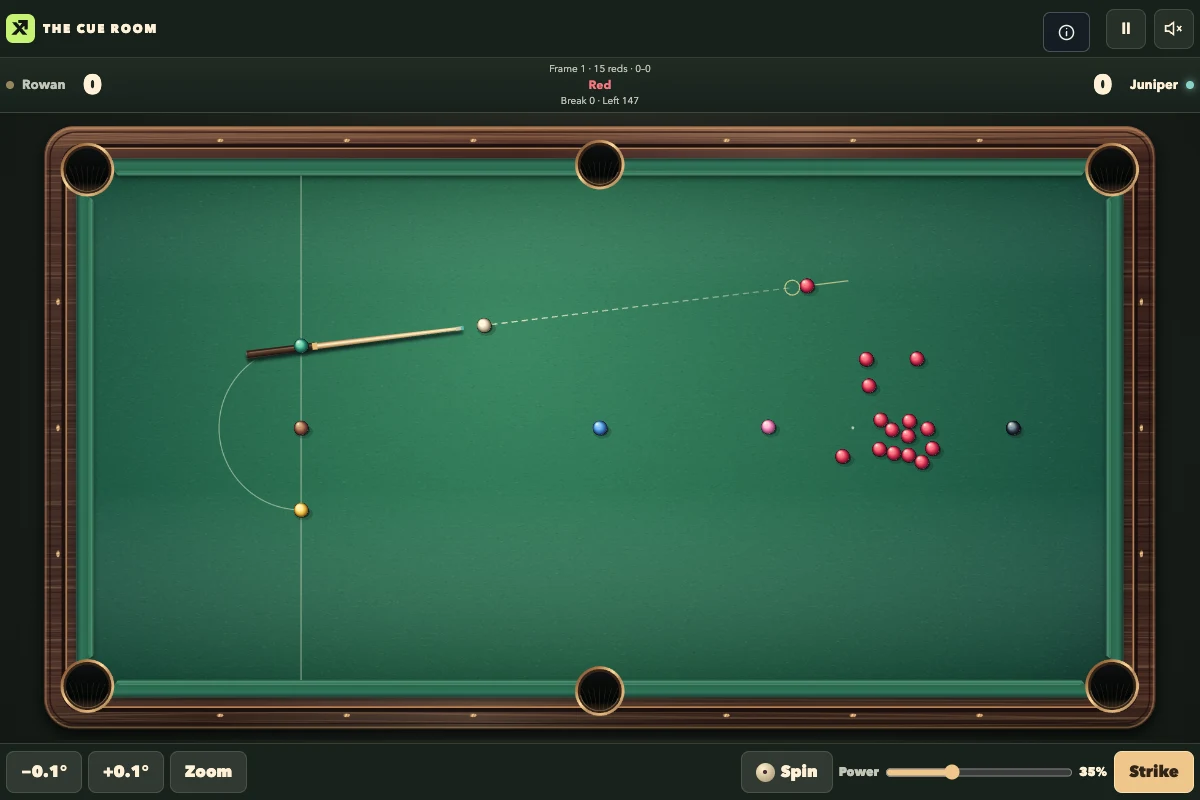
Move the mouse or tap the table to aim. Use the arrow keys or angle buttons to fine-tune. Select spin and power, then press Space or Strike. On a phone or tablet, rotate to landscape.
Plan the red and the colour together
Pot a red, then aim at a colour. Check the highlighted nomination before you shoot. Tap the intended colour to lock it, especially when the route includes a cushion.
A lower cue-ball strike point can draw the white back after contact. A higher strike point makes it follow forward. Start with moderate power to learn where it stops.
Choose a safety when the pot is risky
A thin hit can send the white back toward baulk. Leave your opponent a long shot or put a colour between the white and the reds.
After a foul, the incoming player may take the table or ask the offender to play from the resulting position. The status strip explains the penalty and whether a free ball is available.
Learn one position at a time
Practice starts with a straight pot and progresses to a thin cut, follow, draw, cushion escape and colour clearance. The marked position exercises only count when the white stops inside the zone.
Use the 6-red format for a shorter session. The full 15-red format gives you more time to build breaks and play safety.
Progress & backups
The computer and local two-player modes keep separate checkpoints in your browser. Resume either mode to continue the same score, balls and turn.
Language follows this portal. To change it, choose EN / 中文 here and open the game again. Each visit starts with sound off; enable it in the game if you want audio.
Ready for a run?
You might also explore: ROAD RUMBLE · All guides
Found an outdated instruction or a control issue? Send the game name, device and steps to reproduce it to brucexiamh@gmail.com.