
HOW TO PLAY / FIELD NOTES
STREETLIGHT SPRINT: read the next obstacle, then choose a gesture
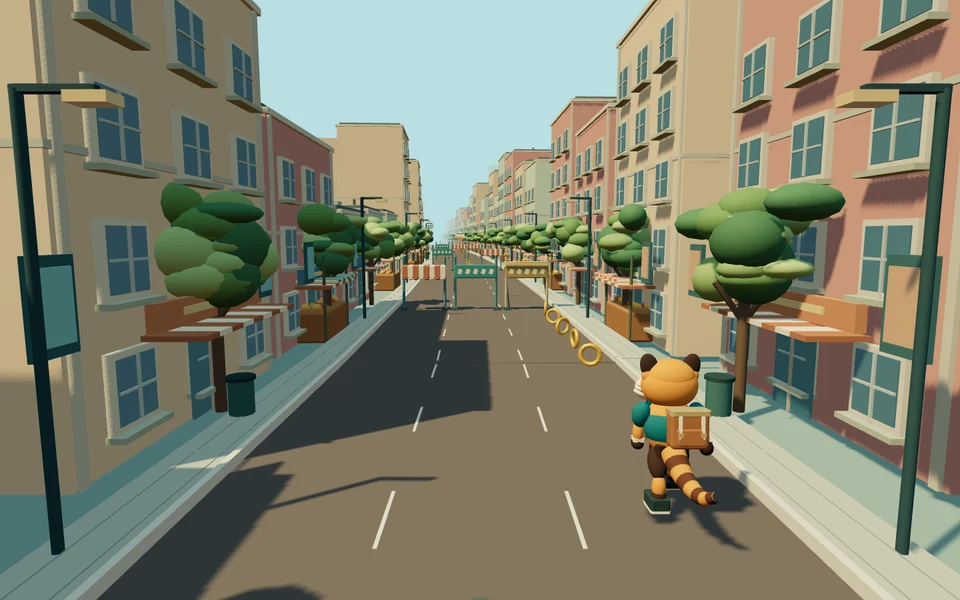
Lane changes, jumps and slides solve different hazards. Keep your eyes ahead of the red panda.
- Devices
- Desktop · Tablet · Phone
- Players
- Single player
- Language & sound
- English / 中文 · Starts muted
Is this your kind of game?
For a city runner with short campaign stages and an endless challenge.
Controls at a glance
Desktop Left/Right changes lane, Up jumps and Down slides or quick-drops. Touchscreens use matching left/right/up/down swipes. Phones favor portrait; P/Esc pauses on desktop.
Match the action to the opening
Look at the empty space an obstacle leaves. A low barrier calls for a different action than an overhead obstruction. Learn jump and slide timing on clear approaches before chaining them into late lane changes.
Read the landing lane as well as the obstacle. A successful jump into a blocked exit is not a safe route. When a sequence is busy, choose the action that leaves you the clearest following move rather than the most coins.
A pickup should not choose the whole route
Magnet attraction pulls nearby coins, including coins across lanes, but does not collect power-ups for you. With a magnet active, you can keep a safer lane instead of trying to follow every coin trail.
Campaign and endless play have different goals. In a stage, learn the route and improve its result. In endless mode, speed and concentration matter for longer, so favour repeatable reactions over narrow last-second saves.
Reliable swipes
- Make a clear directional swipe instead of a diagonal gesture that could mean two actions.
- Plan the next lane before finishing the current jump.
- After a mistake, practise the gesture timing rather than assuming you need to swipe harder.
Progress & backups
Local progress and run resume are supported, with encrypted save backup export/import. Keep your backup before clearing browser storage or moving to another device.
Language follows this portal. To change it, choose EN / 中文 here and open the game again. Each visit starts with sound off; enable it in the game if you want audio.
Ready for a run?
You might also explore: APEX RUN · All guides
Found an outdated instruction or a control issue? Send the game name, device and steps to reproduce it to brucexiamh@gmail.com.