
HOW TO PLAY / FIELD NOTES
MINEFIELD SURVEY: read the clues and clear the board
Choose a safe square, mark confirmed mines and compare overlapping clues.
- Devices
- Desktop · Tablet · Phone
- Players
- Single player
- Language & sound
- English / 中文 · Starts muted
Is this your kind of game?
For players who enjoy quick logic puzzles or a longer expert board.
Controls at a glance
Click or tap to reveal. Right-click, press F, hold a touch, or select the Flag tool to place a flag.
Start with a number you can resolve
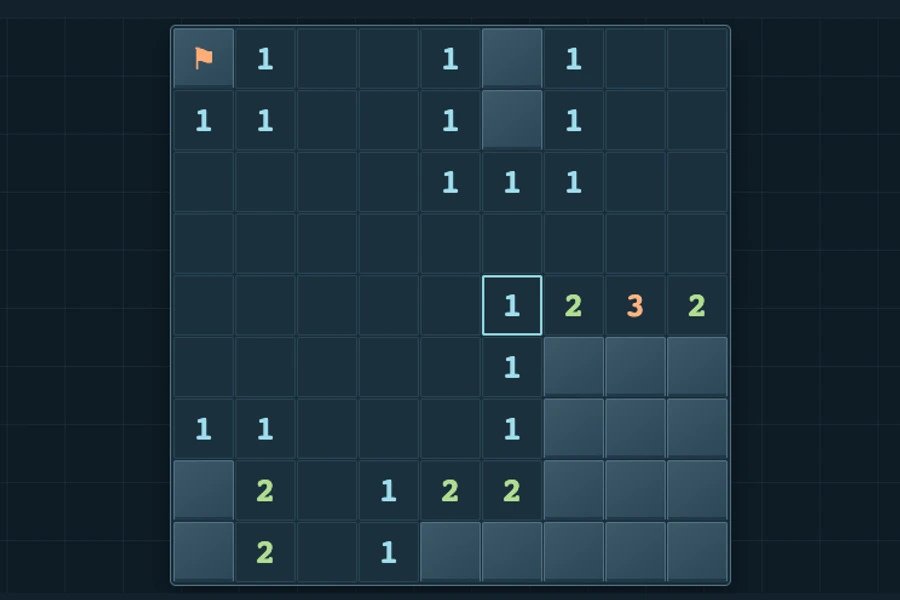
The first square and its neighbors are safe. If a 1 touches only one covered square, that square is a mine. If it already touches a flag you have confirmed, the other adjacent squares are safe.
Compare overlapping clues
When all the covered neighbors of one clue also touch a second clue, subtract the remaining mine counts. The difference tells you how many mines are in the extra squares. Practice mode walks through this pattern, and the hint tool can highlight the clues.
Try the daily board or a larger grid
The daily puzzle shares a fixed opening and switches with the UTC date. On a phone, larger boards open in drag view with beginner-sized cells. Tap Overview to see the whole board. Expert stays vertical in portrait, and the Flag tool marks several squares in a row.
Progress & backups
Your active board, best times and daily streak stay in this browser. Replays and runs using hints do not replace your unassisted records.
Language follows this portal. To change it, choose EN / 中文 here and open the game again. Each visit starts with sound off; enable it in the game if you want audio.
Ready for a run?
You might also explore: MICROSEA · All guides
Found an outdated instruction or a control issue? Send the game name, device and steps to reproduce it to brucexiamh@gmail.com.